Activity
Mon
Wed
Fri
Sun
May
Jun
Jul
Aug
Sep
Oct
Nov
Dec
Jan
Feb
Mar
Apr
What is this?
Less
More
Memberships
Grow With Evelyn
2.6k members • $33/month
Cortex
541 members • $47/month
Claude Code Architects
897 members • Free
Skool Growth Free Training Hub
7k members • Free
Openclaw Labs
1.3k members • Free
Commercial Real Estate 101
5.2k members • Free
RE videography 101: Huyrebel
1.3k members • Free
𝙂𝙊𝙊𝙎𝙄𝙁𝙔 🍓🐛🦋🌈⭐️🩷
12.2k members • Free
Airbnb Free Course
8.4k members • Free
30 contributions to OpenClaw Install & Support

2d •
📢 Important Update for OpenClaw Users
Heads up — Anthropic just announced that starting April 4, your Claude subscription limits will no longer cover third-party harnesses like OpenClaw. Going forward, these tools will require Extra Usage, which is a pay-as-you-go option billed separately from your subscription. The good news: Anthropic is offering a one-time credit equal to your monthly subscription price to help with the transition — but you need to claim it before April 17. How to claim your free credit: 1. Go to Settings > Usage (Pro/Max) or Organization Settings > Usage (Team) 2. Turn on the Extra Usage toggle 3. Click “Claim” on the banner at the top of the Usage page As for our users OpenClaw — we’re actively evaluating alternatives to Claude and will guide everyone through the best transition path once we’ve identified the right solution. Stay tuned, we’ve got you covered. Any questions, drop them below 👇
4
0

7d •
AI Writing Rules - Copy this into your AI's instructions
When creating content (posts, emails, articles), avoid these patterns that make writing sound AI-generated: Words to avoid: • delve, unpack, explore (as topic intros) • crucial, vital, pivotal, essential • comprehensive, robust, seamless • harness, leverage, utilize (just say "use") • realm, landscape, space (as metaphors for "industry") • empower, enable, enhance • noteworthy, notable • intricate, multifaceted • firstly, secondly, lastly Phrases to avoid: • "It's important to note that..." • "In today's fast-paced world..." • "Whether you're a beginner or an expert..." • "This underscores the importance of..." • "Navigate the complexities of..." • "Unlock the power/potential of..." • "I hope this helps" • Moreover, Furthermore, Additionally, That said Structures to avoid: • Ending sentences with three comma-separated items ("It's fast, efficient, and user-friendly") • Bold word: explanation bullet format • Staccato punchy closers ("Word. Word. Short phrase. That's it.") • The hook formula: short dramatic opener → vague relatable statement → "Here's what..." → bullet list • Every paragraph following: topic sentence → three points → wrap-up • Hedging everything ("it may be the case that", "there's a possibility") • Passive voice when active works better Instead: • Write like you talk • Have an opinion instead of being neutral on everything • Be specific instead of vague • Vary sentence length • Skip transitions sometimes - let ideas stand alone • If you wouldn't say it out loud, don't write it
3
0
9d •
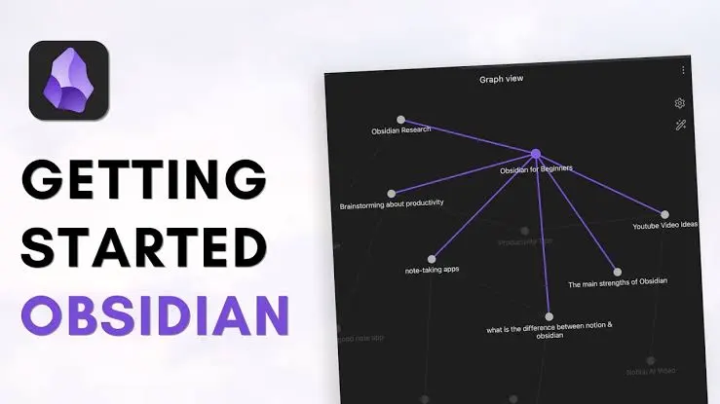
Browse Your AI's Brain with Obsidian
Just set this up and it's pretty cool. Your AI assistant stores everything in markdown files - daily logs, meeting transcripts, deal notes, long-term memory. But those files live on the server, so you never really see them unless you SSH in. The fix: sync everything to a GitHub repo, then open that repo as an Obsidian vault on your computer. Now I can browse everything R2 knows. Search across all my meeting notes. See the graph view of how topics connect. It auto-syncs every hour, so it's always current. Here's how it works: 1. Generate an SSH key on your server 2. Create a private GitHub repo 3. Add the SSH key as a deploy key (with write access) 4. Push your AI's memory and knowledge folders to the repo 5. Set up a cron job to sync changes every hour 6. Clone the repo to your computer 7. Open that folder as an Obsidian vault That's it. Now you have a local copy of your AI's entire knowledge base that stays in sync automatically. If you want the detailed step-by-step commands, I've got a doc for that - just ask.

14d •
built 1000 micro websites for 1$
built an ai automation can create and update 1000 micro websites for 1$ each website is html + css. 1 template with different color scheme, text, images. each micro site is configured to be safe on desktop and mobile browser. one long easy to scroll page that walks the user through and behaves as a funnel. iframe integration with a ai chatbot that provides 24/7 customer service and answers FAQs iframe integration with booking/scheduling service iframe youtube embed video generated by AI that introduces the company/service/product iframe chat with human support hosting is 0$ (hosted on github) .click domain was on special .99C offer integrated with shortlink service which allows to track clicks/analytics and generate qr codes which is used for online and offline marketing/advertising campaigns. data is pulled in and stored in a csv file. so as soon a single cell inside the sheet is changed the script updates every page.
1 like • 14d
Incredible - please show us how it works!
14d •
How I Fixed My AI's Memory Problem (Without Breaking It)
My AI assistant R2 has a long-term memory file. It stores context about my businesses, active deals, relationships, protocols — everything it needs to be useful across sessions. Problem: The file got too big. The system truncates files over a certain size when loading context. R2 was literally forgetting the bottom 16% of its own memory every time it woke up. The obvious fix: Auto-archive old stuff. Set a cron job to move "completed" items to an archive folder when the file gets too big. Why that's wrong: The AI doesn't actually know what's important. "Completed" doesn't mean "not useful." Some resolved issues teach lessons. Some old context prevents repeating mistakes. Blind automation = lost institutional knowledge. What I did instead: 1. Monitor, don't automate. Daily audit checks the file size. If it crosses the threshold, it flags me — doesn't touch the file. 2. Human-in-the-loop cleanup. When flagged, R2 walks me through each section: "This is credentials — should move to config file. This is completed tasks from 6 weeks ago — archive? This is your deal pipeline — keep." I approve, it executes. 3. Document the process. Wrote down exactly how the cleanup works so future-me (or future-R2) can repeat it consistently. Result: File went from 22K chars to 7.6K. Full memory loads every session now. And I didn't lose anything important because I reviewed every decision. The principle: For anything that touches institutional knowledge, make the AI flag problems and propose solutions — but keep a human approving the action. Automation is for repetitive execution, not judgment calls about what matters.
4
0

1-10 of 30

@michaelpansolini
🏡 Teaching The Proven System to Invest in Mobile Home Parks, 💪🏻 Ex-Wall Street Real Estate Private Equity 🗺️ Community Builder⚙️ Systems Builder
Active 11m ago
Joined Feb 16, 2026
ENTP
New York, NY
Powered by