
Write something
Pinned

🔥
Feb 25 •
Welcome Everyone Introduce Yourself! 🥳
Hey everyone, welcome to The Craft Zone. Please feel free to introduce yourself to the group and share with us one of your favorite things you have made and where you are from. This group is set up to be global, and if you choose to share your approximate location in your profile, it really makes the "Map" light up with where everyone is from a world view. We're currently building out the classroom, so bear with us as that is being built.

🔥
15d •
Apple Girl SVG - Free Download
I'm going to start adding these to the SVG Library in the "Classroom" section. Paper piecing that is available for you to download and use. Adding this to the SVG Collection free to download and use for members of this community. PS If anyone knows of any other Designers out there that would like to add to the collection let me know or send me a DM.

🔥
Mar 6 •
What do you think of the new Cricut Machines Joy 2 and Explorer 5?
Link: Watch on YouTube Summary of the video: 👉Joy 2 now supports print-then-cut, so you can make full-color stickers using your home printer. 👉 Explore 5 is about 30% more compact but still cuts 100+ materials. 👉 Both machines have simpler tool swapping and new universal pens that work across machines. They launch Feb 27 on the Cricut Website and Michaels. 👇 Let me know what stuck out to you in the comments.
Poll
4 members have voted
🔥
23d •
Is anyone getting their Easter Projects Ready?
These holidays are like back-to-back! Feel free to share any Easter-themed projects you have, past or present. It could help others get their creative juices flowing.
0
0

🔥
26d •
Skool Tip #1 - Tagging People
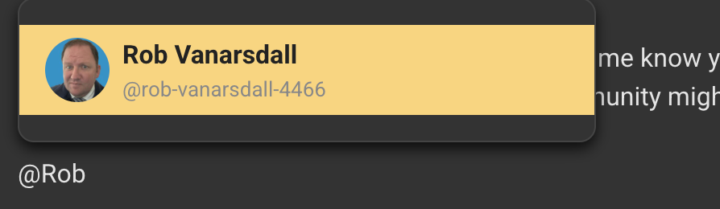
Sometimes you need to get a user's attention. You can use the tagging system in SKOOL. All you have to do is start typing in a post, and anywhere while you type, you can use the @ and start typing their name. It will search the whole "Craft Zone" community for that person. Feel free to try it out if you want, and tag me to let me know you're testing. But this is great if you are asking for help or if you think a member of the community might enjoy your post. Recap: 1. Use the @ symbol 2. Start typing their name (No Spaces) 3. Use your mouse and select the correct person Pinning this to: https://www.skool.com/the-craft-zone-5486/classroom/2101c560?md=051f3a9e9fe54d18a0f733d275bf7a99
1-8 of 8
powered by

skool.com/the-craft-zone-5486
Share your crafting rooms and designs. Learn how to use cutting software, Sure Cuts a Lot, and Cricut Design Space. All Creators are Welcomed!
Suggested communities
Powered by